A time-lapse camera for long shots that keeps every photo, even after a crash
Framekeep records time-lapses that run for hours and saves each photo on your phone the moment it is taken. If the app is closed or crashes, the session comes back at the next launch with every photo taken until then, ready to export.
Get it on Google Play Android 12 and later · free for sessions up to 2 hours
If a time-lapse app ever lost hours of your shooting
In the reviews of popular time-lapse apps, people report long shots that were never saved: hours of recording gone because the app stopped or they switched to another app. Many time-lapse apps only write the video at the end, so a long shot can vanish if something goes wrong.
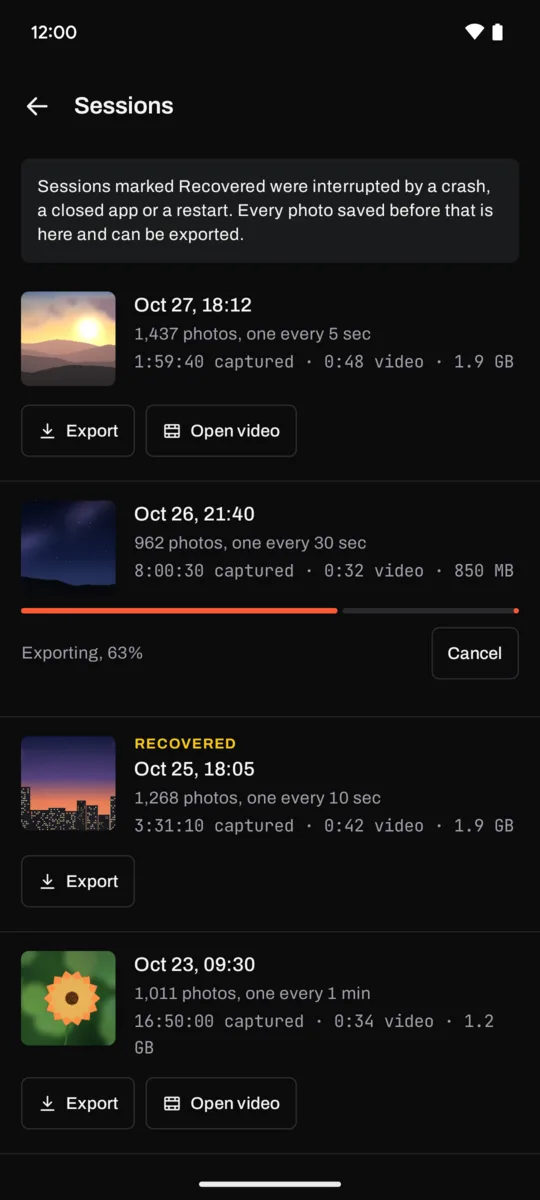
Framekeep saves each photo as it is taken. If the app is closed, crashes or the phone restarts, the session comes back at the next launch marked Recovered, with every photo taken until then, and it exports like any other. Recovery is free.
Made for long shots
- One photo at the interval you choose, for as long as you need.
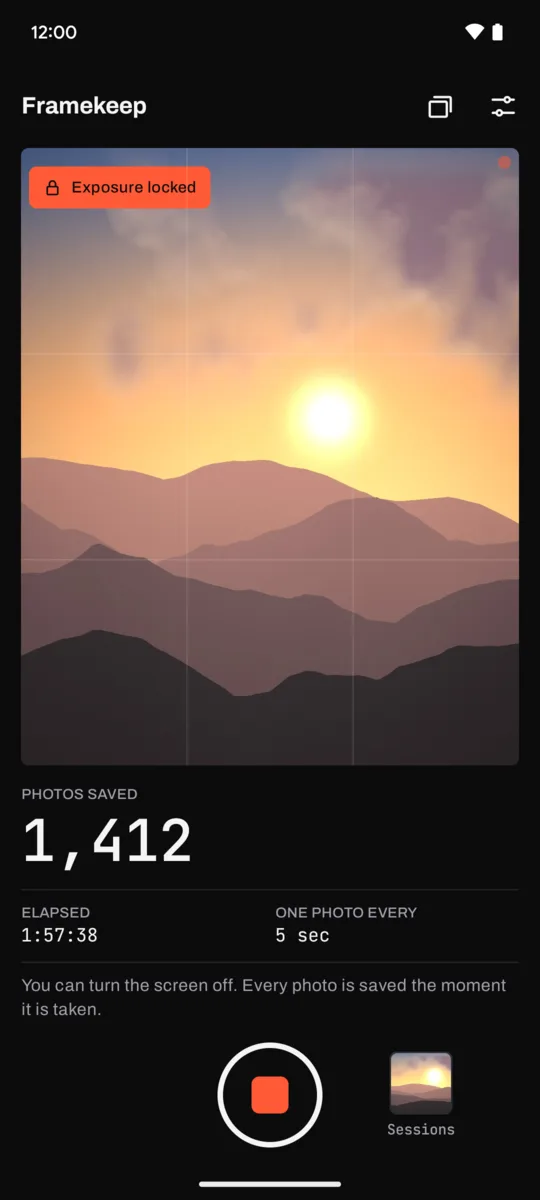
- Keeps going with the screen off. A notification shows the photo count and a Stop button.
- Plays your time-lapse inside the app, with a scrubber to reach any photo.
- Exports an MP4 video to your Movies folder, ready to share.
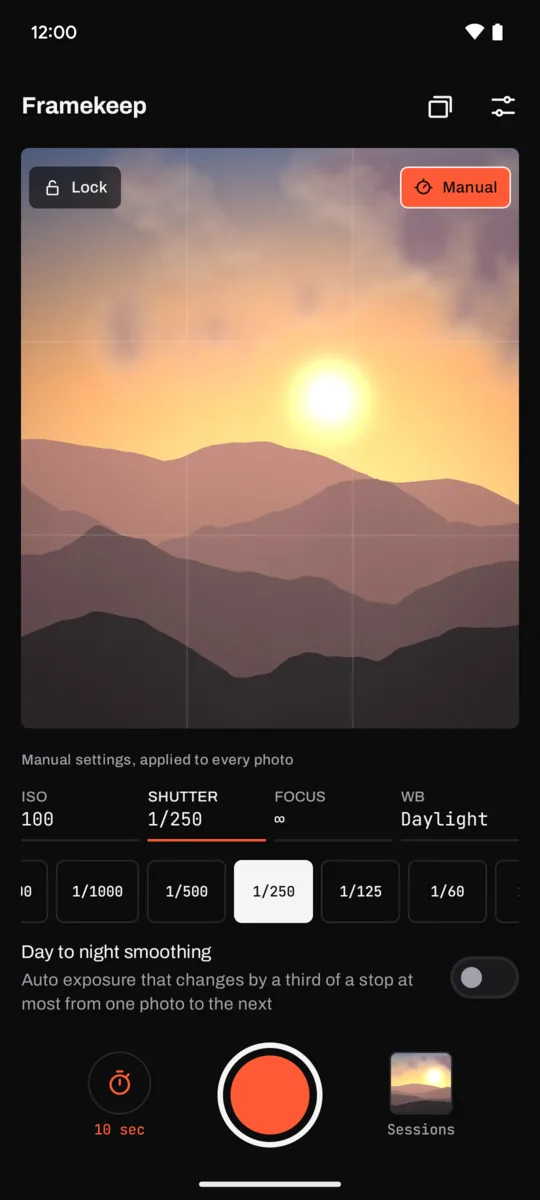
- With Pro, exposure, focus and white balance lock, so the light stays steady from the first photo to the last, and day to night smoothing: auto exposure that moves a third of a stop at most per photo, for sunsets without jumps.
Made for sunsets, drifting clouds, a plant growing, a city at night, a 3D print or a building site.
What is free, and what one purchase adds
Free: six intervals from 1 second to 1 minute, sessions up to 2 hours, recovery of interrupted sessions, tap to focus and a start timer up to 15 minutes, in-app preview, and export up to 1080p at 30 fps.
Pro, one purchase that stays yours: no time limit, so you can record for days; exposure, focus and white balance lock; manual ISO, shutter speed, focus distance and white balance presets, wherever your camera allows them; day to night smoothing; deflicker at export; trim before export; 4K export when your camera captures it, at 24, 30 or 60 fps; and any interval from 1 second to 1 hour, to the second. Google Play shows the price in your own currency. No subscription, no ads, no account.
Who makes it
I do: one person, on my own, under the name Growing Peas. Mail goes to [email protected] and I answer it myself. Your photos and videos stay on your phone and are never uploaded; the app never records sound and needs no access to your files. The privacy policy says so in full.