Fill a simple MP3 player from your phone, with covers that show and songs in order
Plug the player into your Android phone with a USB-C cable, tick the albums you want and tap Copy. Trackfold writes them the way these players read them, so the cover shows and the songs play in the order of the album. No computer needed.
Get it on Google Play Android 8 and later · free for one album at a time
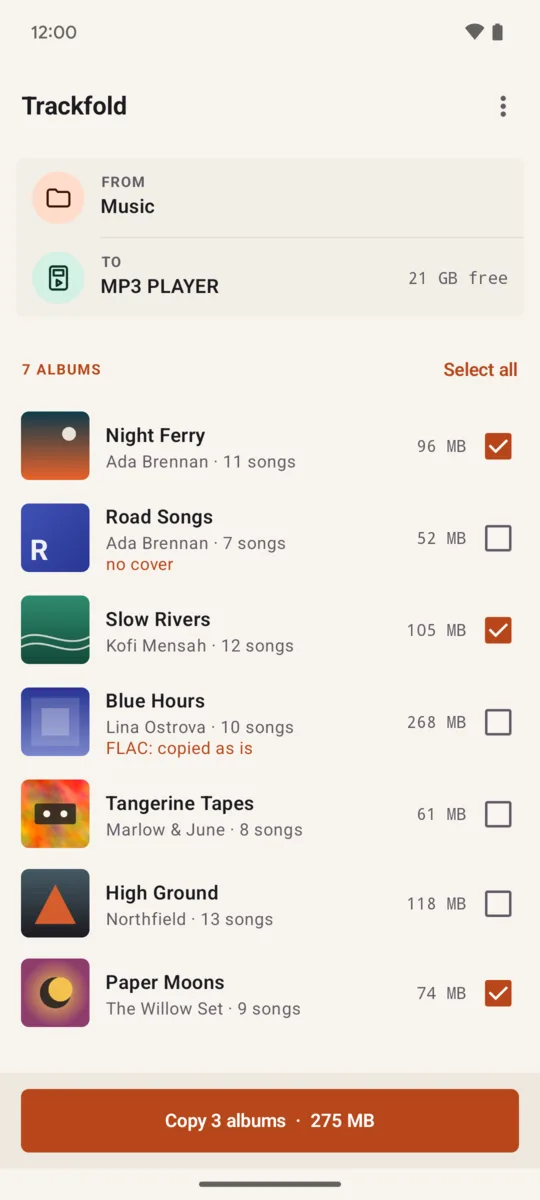
My MP3 player shows no album art and plays songs out of order, and I have no PC
Copying songs to a cheap MP3 player with a phone's file manager works, but the player then shows a blank square instead of the cover, plays an album in a strange order, or skips some files. The usual fix is a tag editor on a computer, which many people who buy these players for a child or to leave streaming do not have.
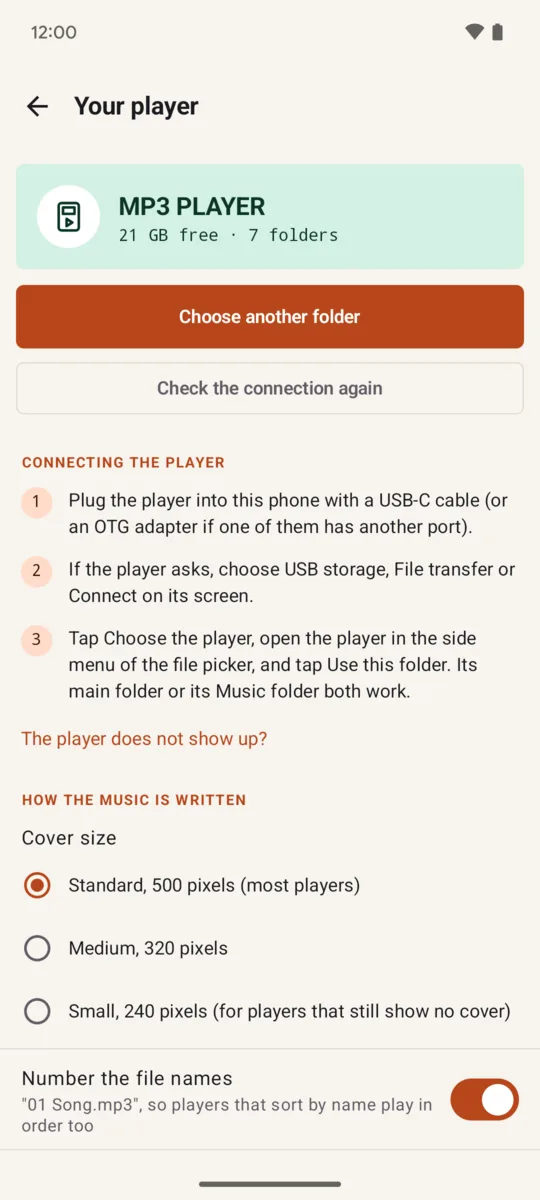
The causes are simple. Most of these players play the songs of a folder in the order they were written to the card, not by name. Many read only the older ID3v2.3 tag, and show a cover only when it is a small baseline JPEG. Trackfold takes care of all three on the phone. It works with players that connect as a USB drive, such as AGPTEK, Innioasis, Ruizu, many SanDisk Clip and older Sony Walkman models, and unbranded players. Trackfold is not affiliated with any of these brands. It is not for iPods.
What it writes
- One folder per album, its songs written one after the other in play order.
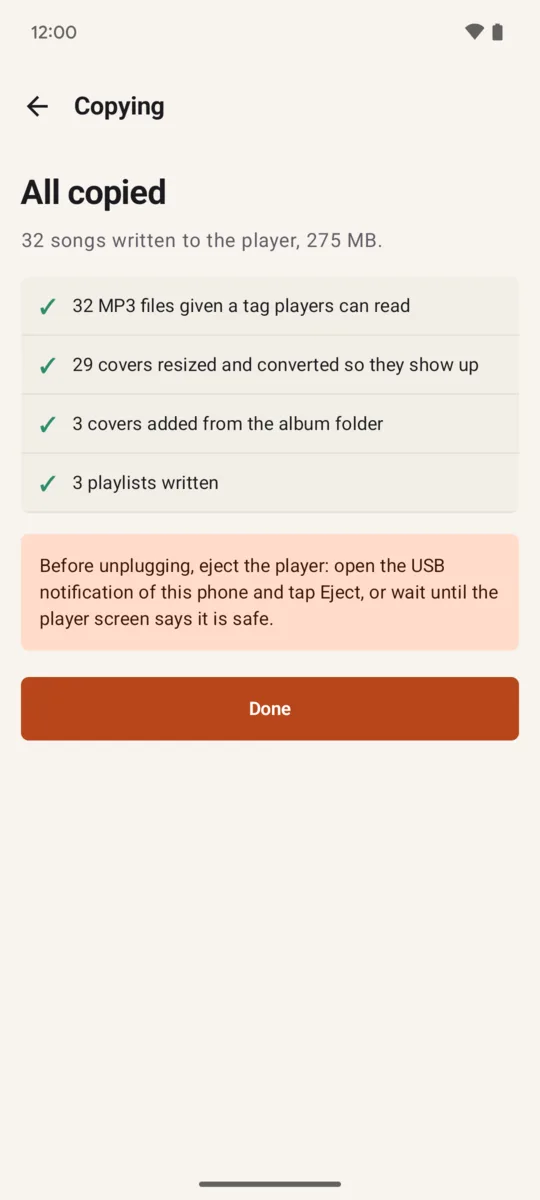
- A fresh ID3v2.3 tag on every MP3, with an old ID3v1 tag for very simple players.
- The cover converted to a baseline JPEG of 500, 320 or 240 pixels; a cover.jpg or folder.jpg beside the songs fills files that have none.
- File names numbered "01 Song.mp3", so players that sort by name play in order too.
- The music itself copied untouched; FLAC, WAV and other formats copied as they are, and M4A, OGG, Opus or AAC files flagged before you copy, since many players skip them.
Trackfold copies music files you own: bought downloads, CDs ripped to MP3, an old collection. It cannot copy songs from streaming apps, which lock them inside their own app. A player that connects as a media device (MTP) needs its memory card in a USB card reader.
What is free, and what one purchase adds
Free: everything above, one album per copy. A sample album is built in, so you can try it before plugging anything in.
Pro, one purchase that stays yours: as many albums as you like in one go, and an .m3u playlist in each album folder. Google Play shows the price in your own currency. No subscription, no ads, no account.
Who makes it
I do: one person, on my own, under the name Growing Peas. Mail goes to [email protected] and I answer it myself. Your music stays on your phone and your player; Trackfold uploads nothing and asks for no storage permission, it only sees the folders you choose in the system file picker. The privacy policy says so in full.