Analyse your athletes’ videos frame by frame, without a subscription
Find the exact frame where a movement goes right or wrong, mark it, and show your athlete why. Stepframe opens the videos you film on your phone and moves through them one real frame at a time, forward or back, with your drawings on top.
Get it on Google Play Android 12 and later · free for one video at a time
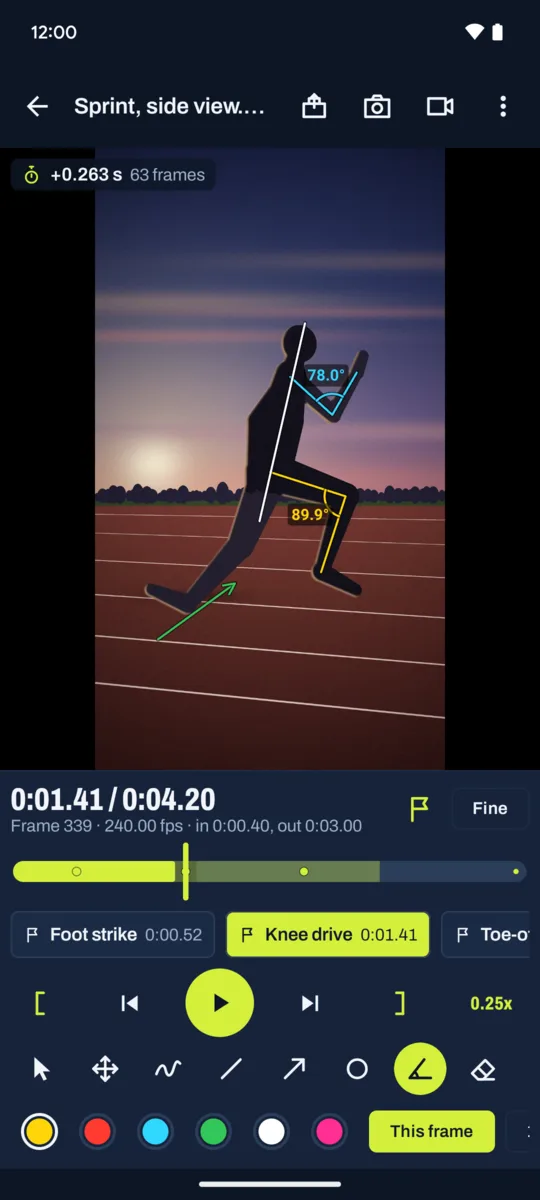
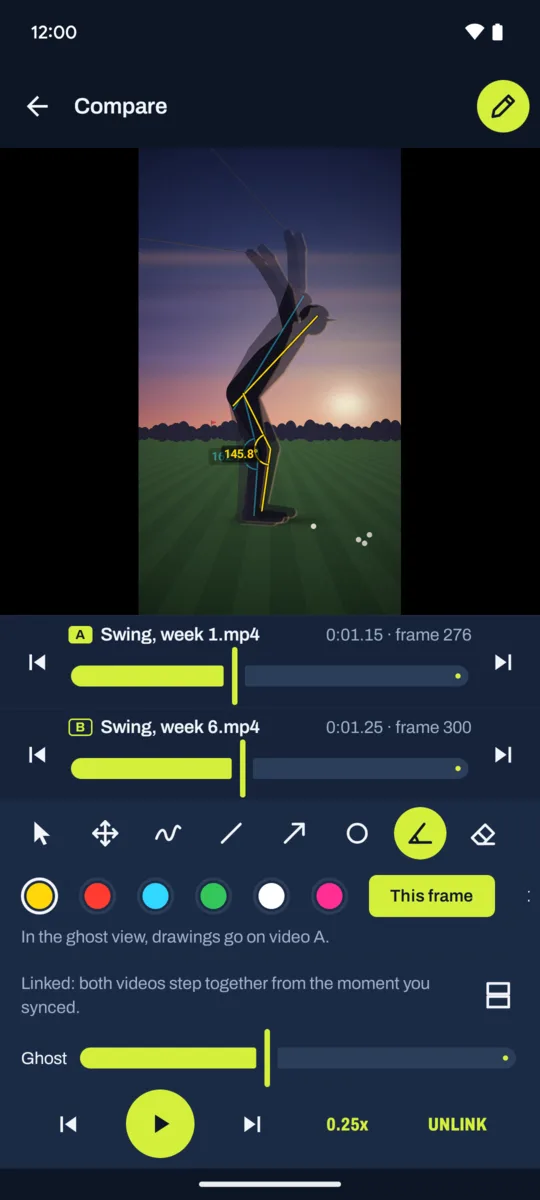
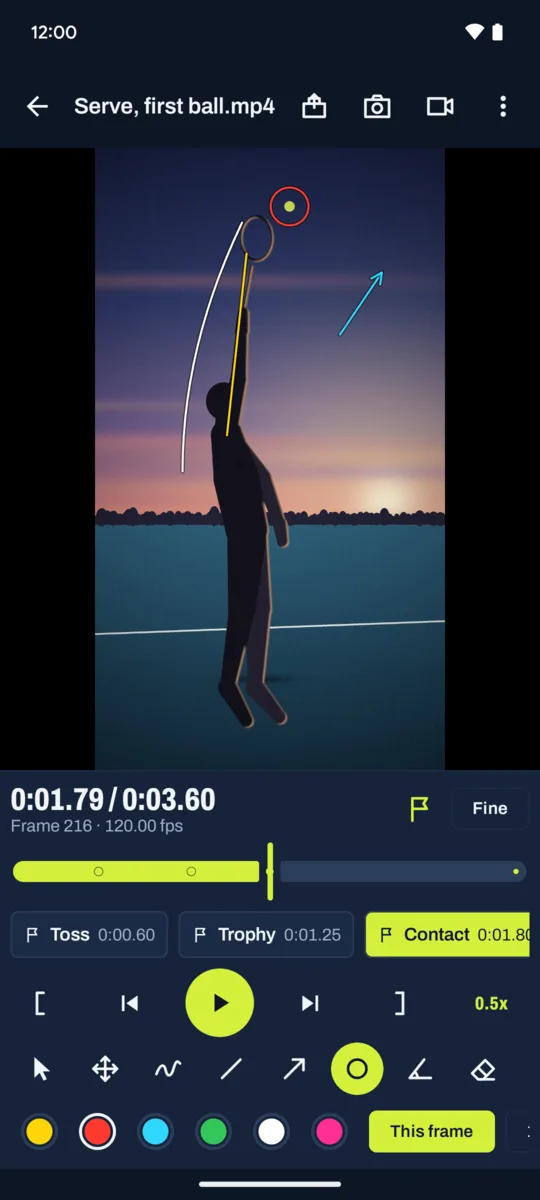
If you coach and want to break down a video without a subscription
Film the drill on your phone, open the clip in Stepframe and step to the frame that matters: foot strike, ball contact, the top of the swing. Each step lands on the next real frame and the frame number stays on screen, so you know you are looking at the same instant every time. Slow-motion clips at 120 and 240 fps work as well as normal video.
Draw on that frame, name it as a key moment, and send the athlete the annotated image with a short text of the moments in one share. There is no account to create and nothing to upload: it works without a connection, on the sideline as at home. The extra tools are one payment that stays yours, not a monthly fee.
Made for the frame you are looking at
- A drawing belongs to its frame: the line you drew at contact is gone at follow-through.
- Jog by dragging on the picture, play down to 0.1x, and pinch to zoom on a detail.
- Key moments you name, shown as marks on the timeline, one tap to jump between them.
- Line, arrow, circle, freehand, move and eraser tools, six colours, undo.
- A library sorted by athlete and tag (sport, drill, session), filtered in one tap.
- Golf, tennis, athletics, football, swimming, gymnastics: if you can film it, you can break it down.
What is free, and what one purchase adds
Free: frame-by-frame stepping, jog, playback down to 0.1x, zoom, key moments, every drawing tool except the angle, the annotated frame saved as an image, the package of annotated moments sent to your athlete, athletes and tags, light and dark themes. One video in the library at a time.
Pro, one purchase that stays yours: the angle tool in degrees (knee, elbow, hip, trunk lean), a timer counted in frames from any moment, two videos side by side or as a ghost overlay stepping together with the same drawing tools on each, MP4 clips with your drawings burned in at normal speed or in slow motion (0.5x or 0.25x), the slow-motion clip in the athlete package, playback down to 0.05x and custom speeds, and as many videos as you like. Google Play shows the price in your own currency. No subscription, no ads, no account.
Who makes it
I do: one person, on my own, under the name Growing Peas. Mail goes to [email protected] and I answer it myself. Your videos stay on your phone: Stepframe reads only the files you pick through the Android media picker, asks for no storage permission and uploads nothing. The privacy policy says so in full.