MIDI files as sheet music, on an Android that still opens them
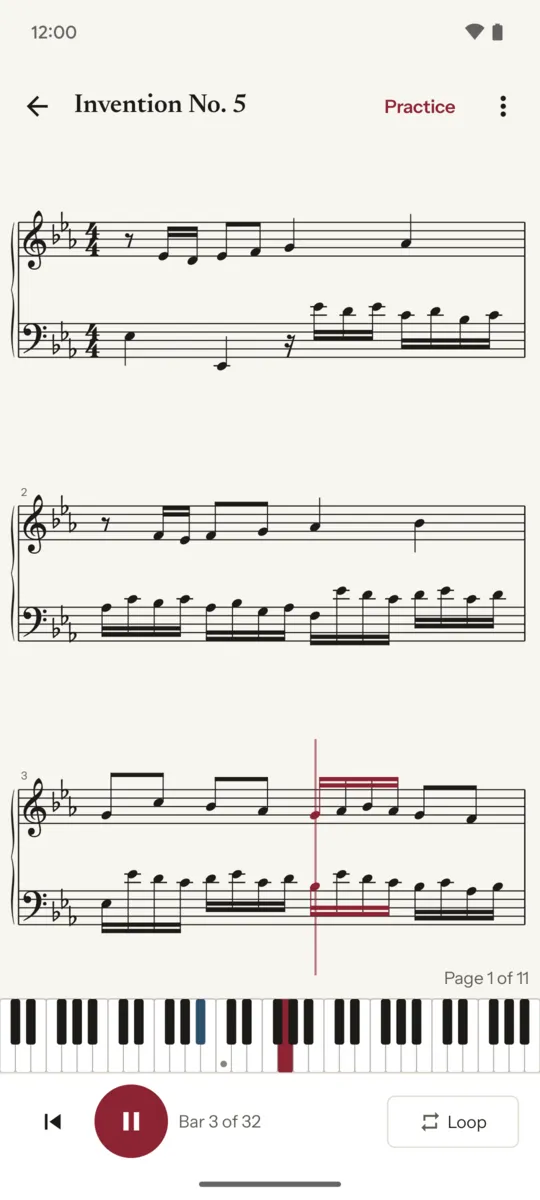
Sheetkeys opens a MIDI file and writes it out as real notation, treble and bass, that scrolls in time with the playback while a piano keyboard below lights every key as it sounds.
Get it on Google Play Android 12 and later · free to read and play
If your old MIDI app stopped seeing your files
Many people who used Midi Sheet Music on Android report that, on Android 14 and later, it no longer lists the files on their phone. That app has not been updated since 2025, and newer Android versions changed how apps are allowed to reach your storage.
Sheetkeys was written for the new rules. It opens files through Android’s own file picker, so it reaches your phone, a memory card, Google Drive or any cloud app that shows up there, without asking for access to your storage at all. You can also pick Sheetkeys from Open with in a file manager or a mail attachment. It is a separate app, written from scratch, and not affiliated with Midi Sheet Music or its author.
Practise on a keyboard: the music waits for you
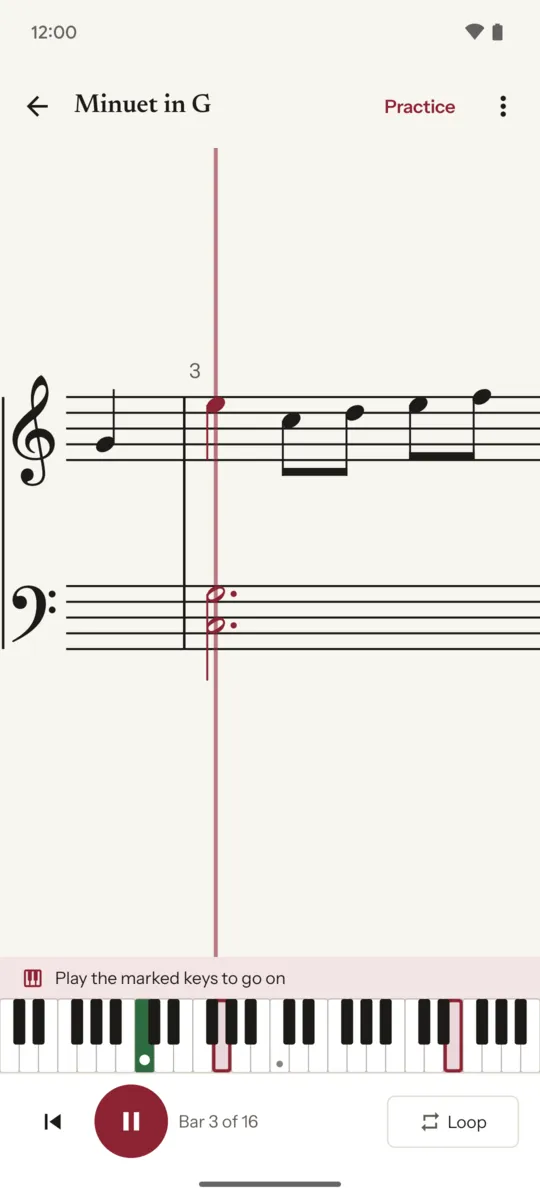
Plug in a USB or Bluetooth MIDI keyboard and turn on wait mode (Pro). The score stops on each note or chord, marks the keys to play, and goes on when you play them. Practise one hand while the app plays the other, at the tempo you choose.
Notation you can read at the piano
Plenty of apps turn a MIDI file into falling blocks. Sheetkeys can do that too, as an option, but its main view is a grand staff with bar lines, key signatures, beams, ties and rests, so practising a piece also trains your sight-reading. Notes held under a moving melody are written in a second voice instead of being cut short, and triplets are written as triplets.
- Note names under the notes, as Do Re Mi or C D E, the way your language names them.
- Tap or drag the score to jump to any bar.
- A page view with full lines that turn by themselves, the default on tablets.
- A night paper theme that follows your phone.
What is free, and what one purchase adds
Free: open, read and play any MIDI file, with the lit keyboard, note names, the page and falling-notes views, slow practice at 50 % and 75 %, and a few public-domain pieces to try it straight away.
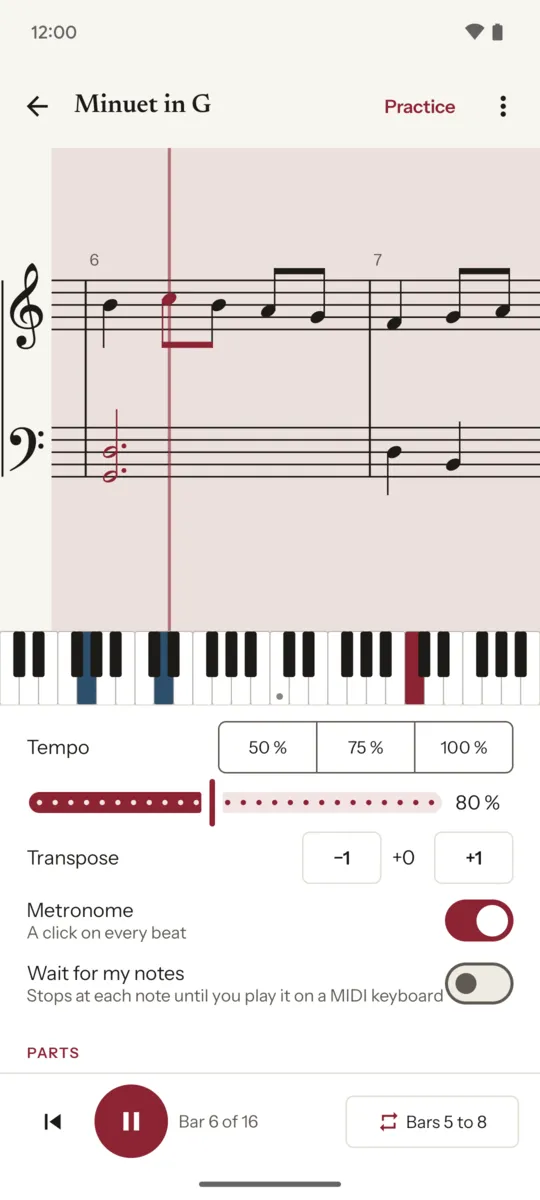
Pro, one purchase that stays yours: any tempo from 25 % to 150 %, transposition, an A-B loop over any bars, each hand hidden or muted, a metronome, export to a printable A4 PDF, and wait mode, where the music stops until you play the right notes on a USB or Bluetooth MIDI keyboard. Google Play shows the price in your own currency. No subscription, no ads, no account.
Where to find MIDI files
Any standard MIDI file works (.mid, .midi, formats 0 and 1). For
classical pieces that are free to use, the
Mutopia Project publishes thousands of
engraved public-domain scores with their MIDI files; Sheetkeys links to it from its home
screen.
Sheetkeys also opens MusicXML scores (.musicxml, .mxl), the format
most notation programs export. There is nothing to guess: flats, sharps, voices and clefs
stay as written. Repeats play straight through, and grace notes are left out.
Who makes it
I do: one person, on my own, under the name Growing Peas. Mail goes to [email protected] and I answer it myself. If a file comes out wrong, send it along and I will look at why. Your files stay on your phone and are never uploaded: the privacy policy says so in full.