See which vacuum box to eat first, by scanning the code on its lid
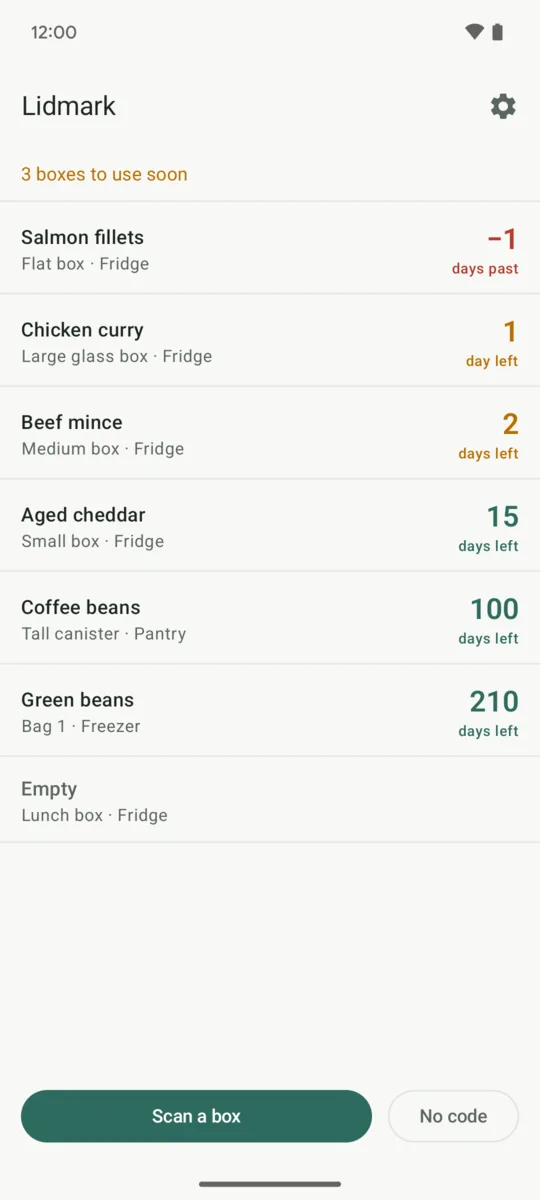
Scan the QR code or hold the NFC tag already on your vacuum box, say what is inside and when you sealed it, and Lidmark keeps the list in the order you should eat them: amber when a date is near, red when it has passed.
Get it on Google Play Android 8 and later · free for five boxes
If your ZWILLING Fresh & Save app stops working
The ZWILLING app for Fresh & Save vacuum containers stops working at the end of 2026, and scanning the code on a box will no longer open anything. The codes on your boxes, lids and bags stay where they are.
Lidmark reads those same codes. The first scan of a box creates it; every later scan opens the same box, so you name it once and refill it as often as you like. It is a separate app, written from scratch, and not affiliated with ZWILLING J.A. Henckels. It also works with any other container that carries a QR code or an NFC tag, and boxes without a code are added in one tap.
What it keeps track of
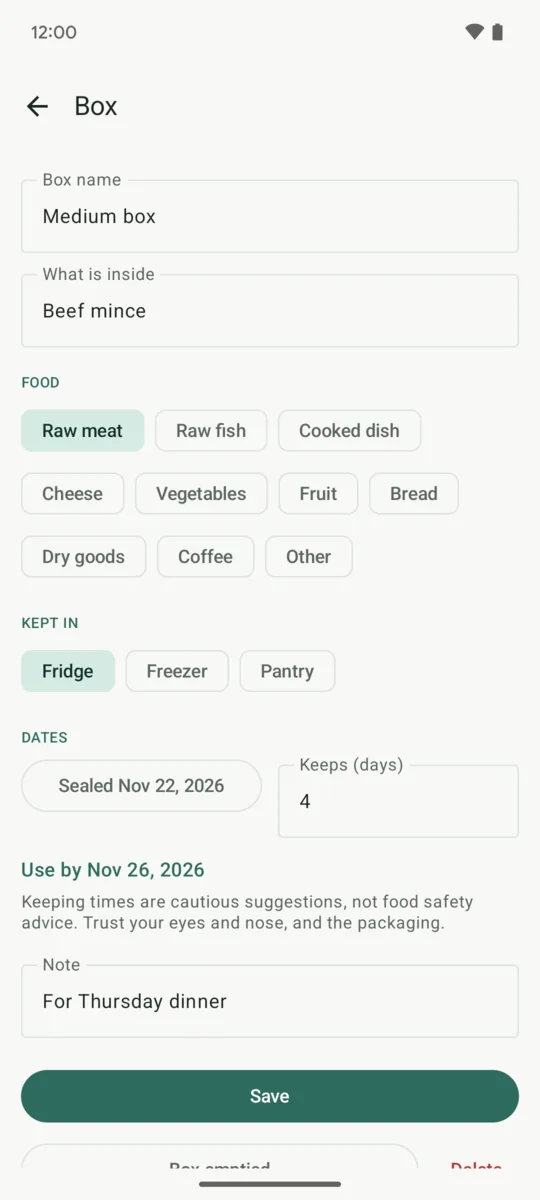
- What is inside, and whether it sits in the fridge, the freezer or the pantry.
- The day you sealed it, and a cautious keeping time for vacuum-sealed food, which you can change.
- One list, soonest first, with the days left in large type.
- A box emptied keeps its name, ready for the next refill.
Keeping times are suggestions, not food safety advice.
What is free, and what one purchase adds
Free: five boxes, scanning, dates and the colour-coded list.
Pro, one purchase that stays yours: unlimited boxes, a daily reminder when a box is near its date, and export of every box to CSV. Google Play shows the price in your own currency. No subscription, no ads, no account.
Who makes it
I do: one person, on my own, under the name Growing Peas. Mail goes to [email protected] and I answer it myself. Your boxes stay on your phone; the camera scan runs in Google Play services, so Lidmark itself does not ask for the camera permission. The privacy policy says so in full.